
Best DTF Printer for Beginners in 2026: Why an All-in-One System Wins
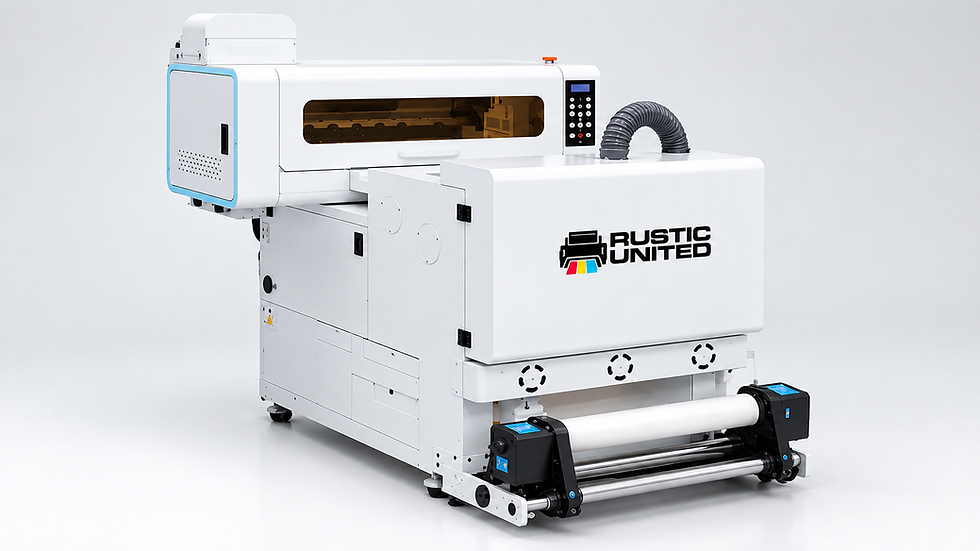
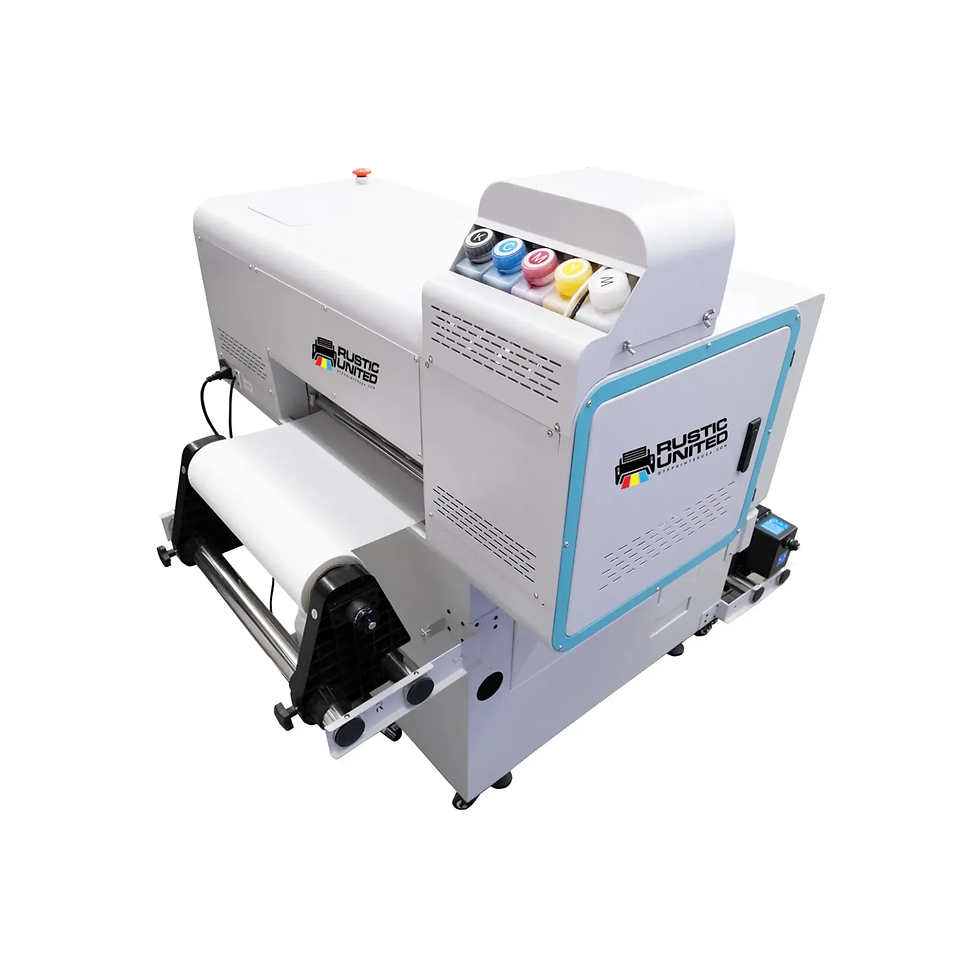
The best DTF printer for beginners combines printing, powder application, and curing in one workflow. The Rustic United 16.5" All-in-One DTF Printer with Powder Shaker from Alpha Print Supply does exactly that. It runs dual Epson i1600-A1 printheads, reaches 120 ft²/h at 6-pass, and includes a built-in powder shaker.
This guide covers what beginners should look for, how Rustic United 16.5" All-in-One DTF Printer performs, what setup really costs, and which mistakes to avoid.
What Makes a DTF Printer Beginner Friendly?
Beginners need fewer steps and less guesswork. Check these four factors before you buy.
Factor | What to Look For | Why It Matters |
Workflow | Printing, powdering, and curing in one system | Fewer manual steps and fewer errors |
Printheads | Two industrial heads | Faster output and steady white ink |
Print width | 16.5 in or wider | Fits chest, back, and gang sheet designs |
Software | RIP with ICC color management | Controls white underbase and color accuracy |
Rustic United 16.5" All-in-One DTF Printer: Key Specifications
Specification | Detail |
Printheads | 2 x Epson i1600-A1 |
Ink colors | CMYK + White (5 colors) |
Resolution | Up to 1440 DPI |
Speed | 120 ft²/h (6-pass), 100 ft²/h (8-pass), 75 ft²/h (12-pass) |
Print width | 16.5 in (42 cm) |
Media | PET film |
RIP software | Maintop and Hosonsoft |
Power | 3500W, 220V, 16A |
Weight and size | 550 lbs, 77 x 42 x 53 in |
Room conditions | 20 to 35°C, 45 to 60% humidity |
Why This Printer Suits Beginners
1. One Machine Replaces Three Steps
DTF normally means printing, powdering, and curing as separate jobs. Every handoff adds mess and risk. This system joins them. You print the design, the shaker applies TPU hot melt powder, and the curing workflow finishes the film. You touch less powder and make fewer errors.
2. Speed Lets You Learn Without Delays
Choose 6-pass when orders pile up. Choose 12-pass when you want maximum detail. On paper, 6-pass output covers more than 100 chest-size transfers per hour. Real output depends on your layout and film loading, so test a few designs before you take large orders.
3. Professional RIP Software Gives You Control
The printer works with Maintop and Hosonsoft RIP software and ICC color management. A RIP controls your white underbase, ink volume, and color profiles. Learn it early, and your prints stay consistent as orders grow. Save your color profiles and reuse them for repeat customers.
Converted, Entry-Level, or All-in-One: Which Fits You?
Option | Upfront Cost | Workflow | Best For |
Converted A3 desktop | $500 to $2,500 (printer only) | Manual powdering and curing | Hobbyists and testing |
Entry-level DTF setup | $2,730 to $5,250 total | Separate shaker or dryer | Side businesses |
All-in-one 16.5 in system | About $9,500 total | Print, powder, and cure together | Steady sellers |
Converted printers cost less but demand more hands-on maintenance. An all-in-one system costs more, yet it saves labor and cuts errors. Pick based on monthly volume, not price alone.
Who Should Think Twice Before Buying
This is not a hobby desktop printer. It needs 220V power, weighs 550 lbs, and covers a 77 x 42 in footprint. It also needs a room held inside the climate range above.
If you press a few shirts a month, ordering gang sheets costs about $0.80 to $1.50 per transfer and needs only a heat press. In-house printing usually pays off at 200 to 500 shirts a month. Choose this printer if you plan to sell steadily.
What Else You Need to Start Printing
A printer alone does not make a transfer. You also need ink, film, powder, and a heat press.
Item | Option | Price |
DTF ink | Rustic United DTF Ink, 1L, CMYK + white | $30 |
DTF film | 16.5" Ultra Premium Double Matte Hot Peel, 328 ft | $51 |
Fine powder | Rustic United DTF Fine Powder, 1 kg | $20 |
Premium powder | Rustic United DTF Transfer Powder Premium, 1 kg | $22.50 |
Heat press | 15 x 15 in clamshell | $300 to $600 |
Alpha Print Supply stocks these consumables, so you can match everything in one order. Choose fine powder for a soft feel and sharp detail. Choose premium powder for vibrant, durable transfers. Choose hot peel film when you want to peel right after pressing. Consumable prices reflect current sale pricing and may change.
Heat Press Settings to Start With
Fabric | Temperature | Time | Pressure |
Cotton | 310 to 325°F (155 to 163°C) | 12 to 15 sec | Medium to firm |
Polyester | 285 to 305°F (140 to 152°C) | 10 to 15 sec | Medium |
Always confirm final settings on your film's spec sheet.
Common Beginner Mistakes and How to Fix Them
# | Mistake and Cause | Fix |
1 | Powder stays undercured because heat or time was too low, so transfers peel after washing | Cure until the powder looks smooth and glossy |
2 | Press settings are guessed, which causes cracking or fading | Start at 310 to 325°F for 12 to 15 seconds and adjust in small steps |
3 | Hot peel film is left to cool, so release turns unreliable | Peel hot peel film right after pressing |
4 | Room conditions drift outside 20 to 35°C or 45 to 60% humidity | Add climate control or a dehumidifier |
5 | The printer sits idle, so white ink settles and clogs printheads | Run a nozzle check often and follow the maker's maintenance routine |
Final Thoughts: Start Simple, Print With Confidence
Your first DTF printer should remove steps, not add them. The Rustic United 16.5" All-in-One DTF Printer gives you a complete print, powder, and cure workflow in one machine. Pair it with matching ink, hot peel film, and TPU powder, and you can move from setup to sellable transfers fast.
Ready to build your DTF setup? Explore Alpha Print Supply's complete range of DTF printers, premium consumables, and expert solutions to build or grow your printing business with confidence.
Frequently Asked Questions
What is the best DTF printer for beginners?
The best choice is a printer that simplifies the workflow. The Rustic United 16.5" All-in-One DTF Printer combines printing, powder shaking, and curing. That removes the messiest manual steps. It suits beginners who plan to sell transfers regularly.
How much does a beginner DTF setup cost?
A complete setup with this printer runs about $9,500 to $9,900. That includes the printer, a heat press, and starter consumables. Smaller entry-level setups cost $2,730 to $5,250 but need more manual work.
Do I still need a heat press?
Yes. The printer produces the cured transfer film, and a heat press bonds it to the garment. A reliable press holds temperature evenly across the platen. Budget $300 to $600 for a 15 x 15 in model.
Should I use hot peel or cold peel film?
Your film type sets the peel method. Hot peel film comes off right after pressing, which speeds up production. Alpha Print Supply carries hot peel film in 12", 16.5", and 24" widths.
What space and power does this printer need?
You need a 220V, 16A supply and about 77 x 42 x 53 inches of floor space. The machine weighs 550 lbs, so plan the location first. Keep the room at 20 to 35°C and 45 to 60% humidity.


Comments