
CMYK vs CMYK+White Ink: Which Print Process Does Your Job Actually Need?
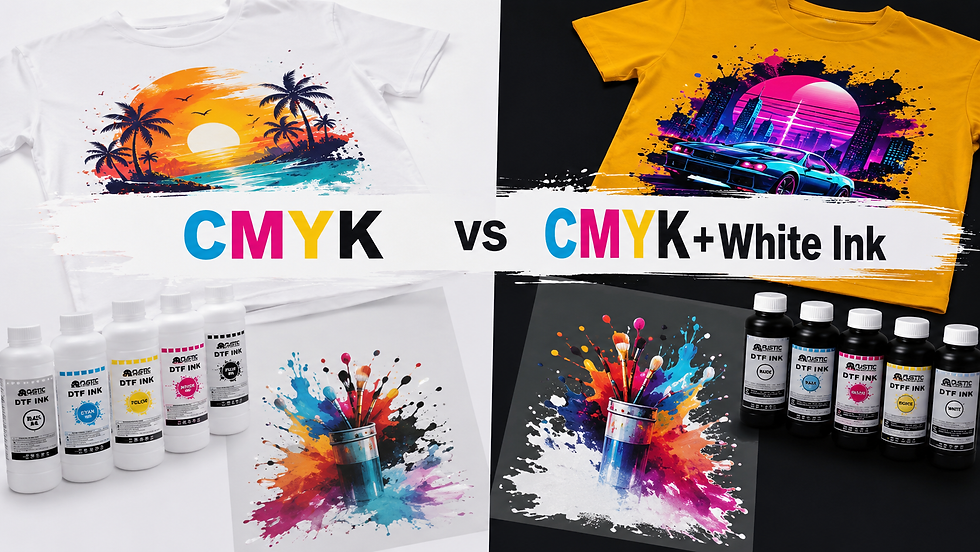
Quick answer: CMYK alone prints full color and works on white or light substrates. CMYK+White adds an opaque underbase so the same colors stay accurate on dark, colored, or transparent materials. If your substrate is not white, you need the white channel.
This guide breaks down how each ink setup works, when you need the extra white channel, and what that choice means for your equipment, maintenance, and bottom line. Whether you run DTF transfers, UV DTF printing, or a UV flatbed printer, this decision affects nearly every job on your production floor.
What Is CMYK Ink and How Does It Work?
CMYK stands for cyan, magenta, yellow, and key (black). These four inks combine to build the full-color image in your design, from photos to logos to gradients.
CMYK is a subtractive color process. Each ink absorbs specific wavelengths of light, and the combination produces the colors you see. On a white or light substrate, this works well on its own, because the background reflects light through the ink and keeps colors bright.
The problem starts when your substrate is not white. Print CMYK directly onto a black shirt or a clear film, and the ink has nothing to reflect off. Colors turn muddy, cyan looks gray, and fine detail disappears.
What Does White Ink Do That CMYK Can't?
White ink solves the reflectivity problem by giving CMYK a surface to sit on. It works as an opaque underbase, printed first, with CMYK layered on top. Most DTF and UV DTF systems run six to eight total ink channels, with two typically dedicated to white for stronger, more even opacity.
1. Working of White Ink as DTF and UV DTF Underbase
In DTF printing and UV DTF printing, white ink prints as a backing layer directly behind the CMYK image. This underbase is what allows a full-color design to transfer cleanly onto a black hoodie, a navy polo, or a colored tote bag.
Without it, the design looks faded once pressed onto dark fabric. Shops that skip white ink on dark garments usually hear the complaint within the first order: the colors "don't pop" the way the proof did.
2. Working of White Ink on UV Flatbed Printer
On UV flatbed printers, white ink works a little differently. It can flood the entire print area as a base, similar to DTF, or apply as a spot layer under specific design elements, such as text or a logo, while the rest of the substrate shows through.
This flexibility is one reason flatbed printing on acrylic, wood, or metal often needs a dedicated white channel. A logo printed on clear acrylic with no white backing will look transparent instead of crisp and opaque. The Mimaki UJV300DTF-75 runs a 4C+4SP configuration, pairing CMYK ink with white and clear ink across two piezo printheads at up to 1,200 dpi, giving precise opacity and finish control in a single pass.
CMYK vs CMYK+White Ink: Comparison Table
Factor | CMYK Only | CMYK+White |
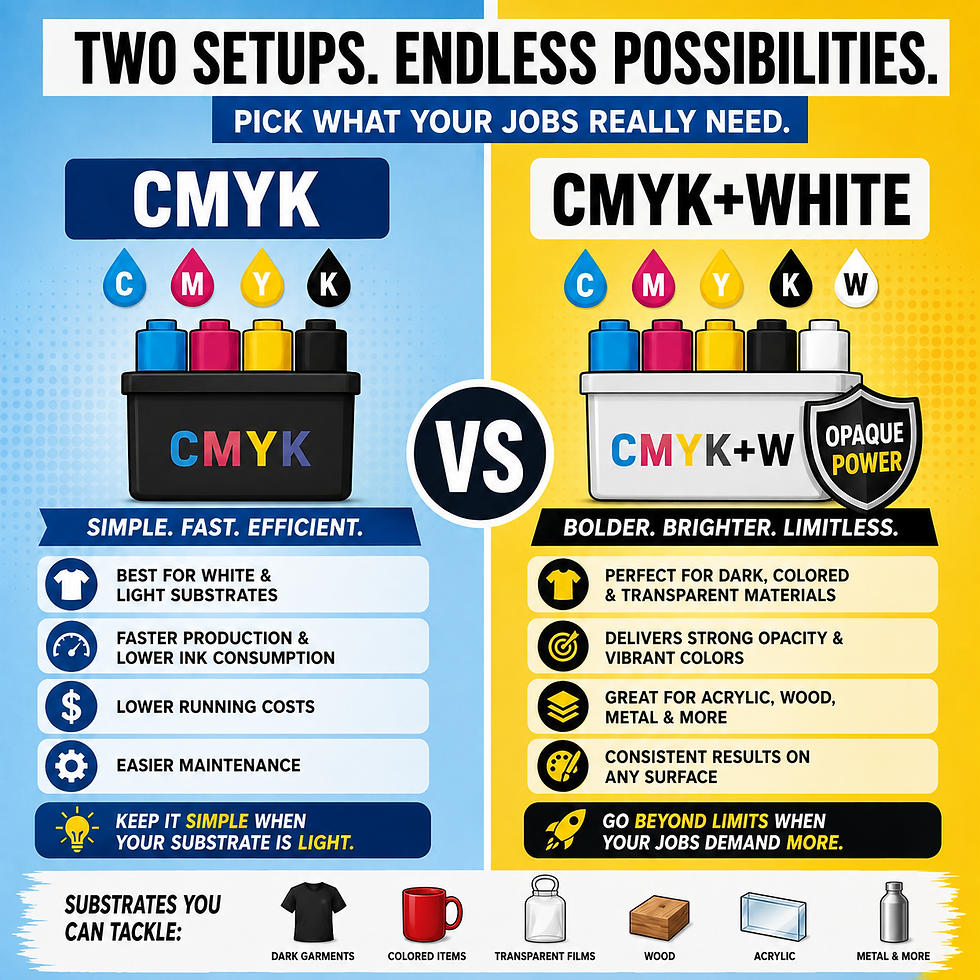
Best substrate | White or light-colored media | Dark, colored, or transparent substrates |
Ink channels used | 4 (cyan, magenta, yellow, black) | 6 to 8, with 2 typically for white |
Maintenance level | Moderate | High, needs daily agitation |
Cost per print | Lower, no extra ink layer | Higher, extra ink volume and print time |
Typical use case | Light apparel, packaging, paper | Dark garments, colored fabric, clear film |
When Should You Use CMYK Alone?
CMYK-only printing makes sense more often than shops assume. It is faster, cheaper, and easier on your printhead. Choose it for white or light-colored materials, high-volume runs where speed and cost matter, and simple designs without dark backgrounds. Skipping white also means one less channel to maintain.
When Do You Need CMYK+White Ink?
The moment your substrate stops being white, the calculation changes. You need the white channel for black or dark garments, colored or patterned fabric, clear or tinted film for stickers and decals, and any design where opacity matters more than speed.
Rustic United DTF Ink and Rustic United UV DTF Ink, both available through Alpha Print Supply, handle this dual role: full CMYK color output alongside a dependable white underbase.
Why Does White Ink Need More Maintenance Than CMYK?
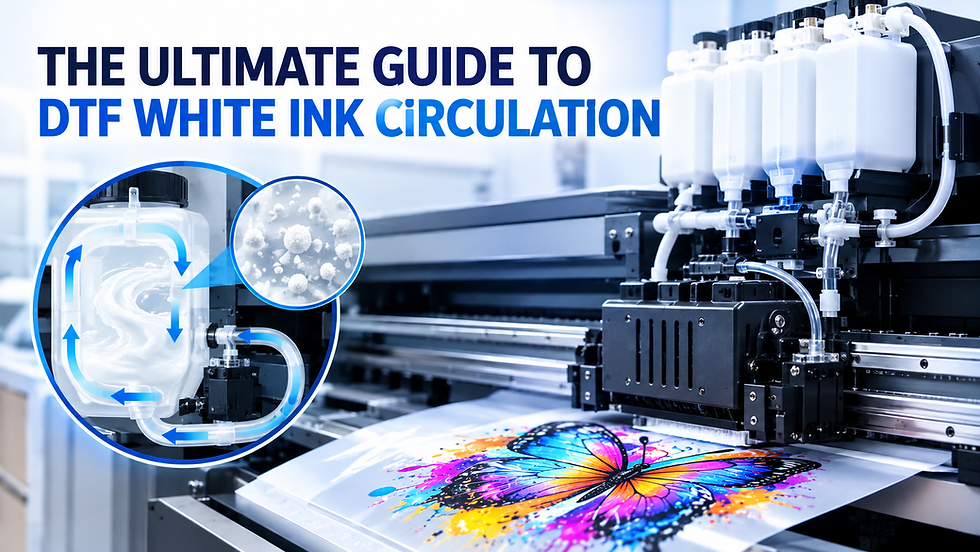
White ink pigment particles are heavier than CMYK particles, so they settle when left sitting. This can lead to clogged dampers, weak opacity, and streaky prints. A daily routine helps prevent these problems.
Agitation: Agitate white ink before use to keep pigment properly mixed.
Nozzle checks: Run a nozzle check before production to catch issues early.
Circulation: Monitor the circulation system if your printer has one.
Maintenance: Treating white ink as “set it and forget it” can lead to downtime and reprints.
Daily routine: A five-minute daily habit prevents most white ink problems.
Matching Ink Configuration to Your Equipment
Your printer's ink channel setup determines your flexibility between CMYK and CMYK+White. Map out your typical order mix first. A shop running 80 percent dark apparel needs a very different ink strategy than one running mostly light-colored promotional items.
Final Thoughts: Pick the Ink Setup That Matches Your Jobs, Not Your Habits
CMYK and CMYK+White are not competing systems. They are two tools for two different jobs. CMYK keeps light-substrate printing fast and affordable. CMYK+White is what makes color pop on dark, colored, or transparent materials that would otherwise wash out.
Shops that struggle usually are not using the wrong ink. They are using the right ink on the wrong job, or skipping the maintenance white ink demands. Get your substrate mix right, keep your white channel clean, and both ink setups earn their place in your workflow.
If you are building out or upgrading your ink setup, Alpha Print Supply carries the printers, white-ink-capable DTF and UV DTF systems, and consumables to match your needs. Reach out to the team to find the configuration that fits your shop.
Frequently Asked Questions
Do I always need white ink for DTF printing? No. White ink is only necessary on dark, colored, or non-white garments. For light-colored fabric, CMYK alone produces accurate, vibrant results without the extra layer.
Why does my white ink clog more than my CMYK ink? White ink pigment particles are heavier and settle faster than CMYK. Without regular agitation or circulation, settled pigment can block dampers, lines, and printhead nozzles.
Can I switch a printer between CMYK-only and CMYK+White jobs? Yes. Most DTF and UV DTF printers with a dedicated white channel let you run CMYK-only files when white is not needed, though the idle channel still needs periodic agitation.
Does CMYK+White cost more per print? Generally yes. The extra layer increases ink usage and print time, but that cost is small compared to the value of a print that actually looks right on a dark substrate.
How do I know if my white ink opacity is too weak? Weak opacity shows up as a faded or washed-out design on dark fabric even though CMYK printed correctly. Check white ink density, mixing, and RIP settings before assuming the ink is faulty.


Comments