
Common DTF Ink Problems and How to Fix Them

DTF ink problems are a major cause of inconsistent print quality, wasted materials, and production delays. Most issues, such as white ink settling, clogged printheads, banding, dull colors, and slow drying, can usually be traced to a few common causes and fixed with proper troubleshooting. Knowing why these problems happen helps you solve them faster, reduce downtime, and maintain reliable print quality.
At Alpha Print Supply, we help print businesses understand both the printing equipment i.e. DTF printers, inks, supplies and the maintenance habits that keep production running smoothly. This guide covers the most common DTF ink problems, their causes, quick solutions, and preventive steps so you can achieve consistent, professional results while extending printer life.
Why Do DTF Ink Problems Happen?
Most DTF printing issues come from a mix of printer maintenance, environmental conditions, ink quality, and production habits. Because DTF ink is pigment-based, it needs proper circulation, storage, and handling to perform well.
The main causes usually fall into four categories:
Poor ink flow
Improper printer maintenance
Incorrect environmental conditions
Inconsistent printer settings
Once you identify the category, troubleshooting becomes much easier.
1. Colors Look Dull or Washed Out
If prints look faded instead of vibrant, the issue is often related to color consistency, ink performance, or printer calibration rather than the artwork itself. Common causes include incorrect ICC profiles, partially clogged nozzles, excessive ink limits, or uneven ink pigmentation.
Quick Fix
Run a nozzle check to confirm all color channels are printing correctly.
Verify the correct ICC profile is being used.
Make sure your artwork matches the intended print settings.
Inspect the printer for maintenance issues before changing production settings.
Use a stable pigment ink such as Rustic United DTF Ink for smoother ink delivery and consistent color reproduction.
Expert Insight: Many color problems that appear to be software-related are actually caused by partially restricted nozzles that reduce ink output without creating obvious missing lines.
2. White Ink Keeps Settling
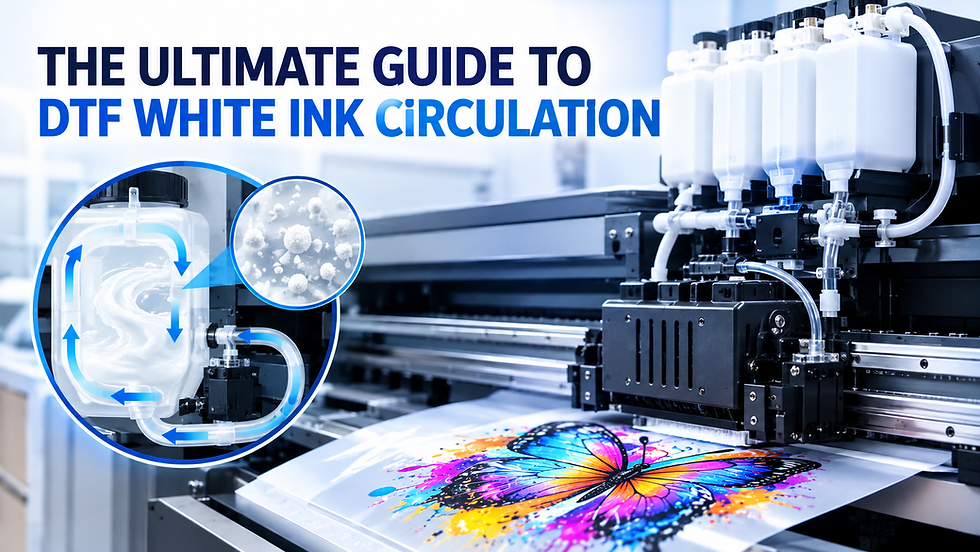
White DTF ink naturally settles because it contains titanium dioxide pigment, which is heavier than CMYK pigments. This is normal and does not mean the ink is defective. Problems occur when the pigment is not properly redistributed before printing, which can lead to weak white layers, poor opacity, and uneven results.
Quick Fix
Follow the manufacturer’s instructions for preparing white ink before production.
Make sure the printer’s white ink circulation system is working properly.
Avoid leaving the printer idle for long periods.
Store ink in a clean, temperature-controlled environment.
Keep ink away from excessive heat or freezing temperatures.
Expert Insight: White ink settling is completely normal. The real problem occurs when settled pigment enters the printhead unevenly, creating inconsistent white coverage across the design.
3. Printhead Keeps Clogging

A clogged DTF printhead is one of the most common DTF printer maintenance issues because it directly affects production. Missing nozzles can cause incomplete prints, horizontal gaps, inaccurate colors, and repeated cleaning cycles. Since DTF pigment ink contains solid particles, ink can dry inside the nozzles when the printer sits unused too long.
Quick Fix
Perform a nozzle check before starting production each day.
Run the recommended cleaning procedure if missing nozzles appear.
Avoid unnecessary deep cleaning cycles, which waste ink.
Keep the printer in regular use to maintain ink circulation.
Use a balanced ink such as Rustic United DTF Ink to support stable ink flow and long-term reliability.
Expert Insight: Many operators respond to clogging by repeatedly cleaning the printhead. In many cases, inconsistent room humidity or long idle periods are the actual causes of recurring nozzle blockages.
4. Ink Smudges After Printing
DTF ink smudging usually means the ink has not been cured properly before handling. It can also happen when too much ink is deposited, preventing full drying. High humidity makes the problem worse by slowing the curing process.
Quick Fix
Check that ink limits are appropriate for the artwork.
Confirm curing equipment is running at the correct temperature and dwell time.
Keep temperature and humidity stable in the production area.
Improve airflow around the curing area for more consistent drying.
Expert Insight: Increasing curing temperature isn't always the answer. Excessive heat may introduce other quality issues, making proper printer settings just as important as curing itself.
5. Ink Doesn't Transfer Properly
Poor transfer quality is often blamed on the ink, but the real issue is usually incomplete curing, incorrect press settings, or workflow problems. Signs include parts of the design staying on the film, uneven adhesion, weak wash durability, or inconsistent color after pressing.
Quick Fix
Confirm the heat press is set to the correct temperature, pressure, and pressing time.
Check that pressure is even across the platen.
Run a test transfer before large production orders.
Adjust settings before continuing production if adhesion is weak.
6. Banding or Missing Lines in Prints
DTF banding appears as visible horizontal lines that break up gradients and solid colors. While clogged nozzles are a common cause, banding can also come from printhead alignment issues or inconsistent ink delivery.
Quick Fix
Start with a nozzle check to see whether ink flow is interrupted.
If nozzles are firing correctly, inspect printhead alignment.
Verify that routine maintenance has been completed on schedule.
Use preventive maintenance to reduce unexpected print defects.
Expert Insight: If banding appears only during high-speed printing, the issue may be related to print settings or alignment rather than clogged nozzles.
7. Ink Takes Too Long to Dry

Slow drying is one of the most overlooked DTF printing problems, but it affects handling, productivity, and final print quality. Common causes include excessive ink density, high humidity, poor airflow, and inconsistent curing temperatures.
Quick Fix
Maintain recommended humidity levels in the production area.
Confirm curing equipment is operating consistently.
Avoid applying more ink than necessary.
Improve airflow around the curing station.
8. Ink Has a Short Shelf Life After Opening
Many operators reduce DTF ink lifespan through poor storage rather than heavy use. Ink can lose stability when exposed to contamination, direct sunlight, or temperature swings. Even high-quality ink needs proper storage to maintain performance.
Quick Fix
Store ink bottles in a cool, dry place away from direct sunlight.
Reseal containers immediately after use.
Rotate inventory so older bottles are used first.
Avoid contamination during refilling.
Prevent DTF Ink Problems Before They Start
The best print shops spend less time troubleshooting because they focus on preventive maintenance instead of repairs. Small daily habits prevent many common DTF printer troubleshooting issues, improve reliability, extend printhead life, and reduce downtime.
Effective preventive practices include:
Perform a nozzle check before daily production.
Keep the printer running regularly to maintain ink circulation.
Store ink according to manufacturer recommendations.
Maintain a clean printing environment.
Monitor temperature and humidity levels.
Follow scheduled printhead cleaning procedures instead of waiting for visible defects.
Use a stable, professional-grade pigment ink such as Rustic United DTF Ink to promote consistent ink flow and dependable print performance.
Preventing problems is always more cost-effective than fixing them after production has already been interrupted. A disciplined maintenance routine protects your equipment, improves productivity, reduces waste, and delivers more consistent results on every order.
Closing Perspective: Turn Better Ink Practices Into Better Print Results
Consistent DTF print quality starts with understanding the cause of common ink issues, not just fixing the symptoms. By combining proper maintenance with reliable DTF ink, you can reduce downtime, improve production efficiency, and extend printhead life. If you're ready to achieve more consistent results, Contact Alpha Print Supply today as we provide professional guidance and premium DTF printing solutions to help your business print with confidence.
Frequently Asked Questions
1. What causes most DTF ink problems?Most DTF ink problems come from poor maintenance, incorrect printer settings, improper storage, or unstable production conditions. Even small issues like inconsistent humidity or skipped nozzle checks can affect print performance. Identifying the root cause early makes troubleshooting faster and more effective.
2. Why does white DTF ink settle?White DTF ink settles because it contains titanium dioxide pigment, which is naturally heavier than the pigments used in CMYK inks. This separation is normal and expected during storage. Proper circulation before and during printing helps keep the ink consistent and ready for use.
3. Can DTF ink clog a printhead?Yes, DTF ink can clog a printhead if the printer sits idle for too long or if pigment begins to dry inside the nozzles. This can lead to missing lines, weak output, or repeated cleaning cycles. Routine maintenance and regular printer use greatly reduce the risk of clogging.
4. How should DTF ink be stored?DTF ink should be stored sealed in a cool, dry place away from direct sunlight. Extreme heat, freezing temperatures, and contamination can all affect ink stability and print quality. Keeping bottles properly closed after use also helps preserve performance over time.
5. How can I prevent recurring DTF ink issues?You can prevent recurring DTF ink issues by performing regular nozzle checks, maintaining stable environmental conditions, and following a consistent maintenance routine. Using professional-grade DTF ink also helps support smoother ink flow and more reliable results. Preventive care is always more effective than fixing repeated print problems after they occur.

Comments