
DTF Inks Compatibility Guide: Match Ink, Film, and Printhead the Right Way
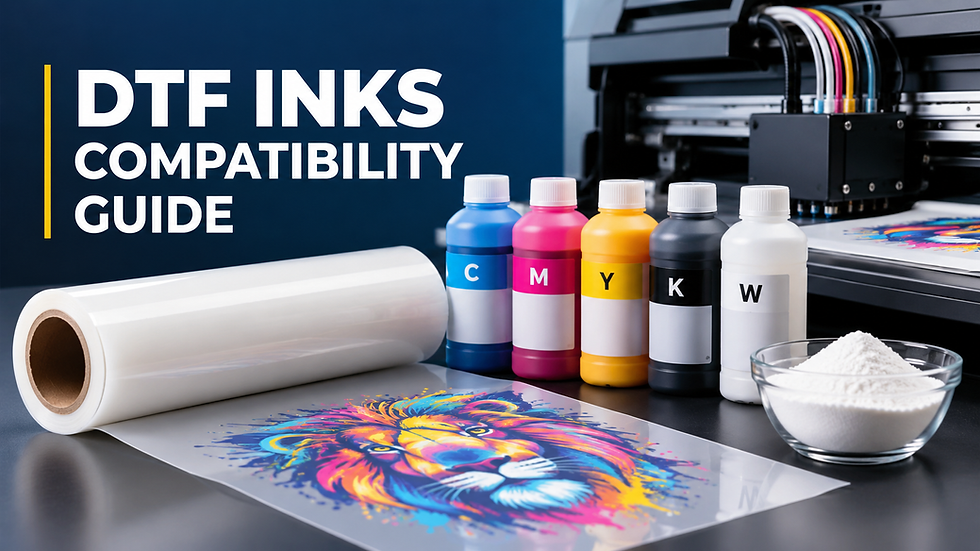
DTF ink compatibility means your printhead, transfer film, and ink formulation all tolerate the same viscosity, pigment load, and curing range. Get one of these out of sync and you'll see clogged nozzles, patchy white coverage, or transfers that crack after a few washes.
At Alpha Print Supply, we test every ink, film, and powder combination we stock before it reaches a customer order. This guide shares exactly what that testing process looks for.
DTF Ink Formulation: What Is Actually in DTF Ink?
DTF ink is a water-based pigment ink formulated for precise printhead flow, film compatibility, and durable transfer performance. Understanding the ink formulation is essential to understanding DTF ink compatibility. The exact formulation varies between manufacturers, but most DTF inks contain several key components:
Pigments provide color. White ink uses a much higher pigment load, typically titanium dioxide, making proper circulation and agitation especially important.
Water and carriers control fluidity and help the ink move through the printer and printhead.
Dispersants keep pigment particles evenly distributed and reduce settling or aggregation.
Humectants and additives help control drying, surface tension, and nozzle performance.
Binders or resins contribute to adhesion and durability after curing and heat pressing.
The exact balance varies between manufacturers. That means two products labeled “DTF ink” are not automatically interchangeable. Differences in viscosity, pigment concentration, particle characteristics, and drying behavior can affect how the ink performs in a specific printhead and with a specific film and powder.
Why DTF Ink Compatibility Matters
Direct-to-film printing only works when every layer cooperates. Ink that's too thick for your printhead clogs nozzles within days. Ink that's chemically mismatched with your film coating spreads, pools, or refuses to hold powder evenly.
Ink compatibility affects four things directly: printhead lifespan, color accuracy, powder adhesion, and wash durability. Shops that ignore it replace printheads twice as often and reprint jobs that should have worked the first time.
What Printhead Do You Have, and What Ink Does It Need?
Your printhead is one of the most important factors in DTF ink compatibility. Different printheads and ink-delivery systems have specific requirements for viscosity, particle size, surface tension, and pigment load.
Printhead | Common DTF Use | Key Compatibility Consideration |
Epson XP600 | Entry-level and desktop DTF systems | Requires ink formulated for its nozzle and flow characteristics |
Epson F1080 | Compact and newer DTF systems | Follow the printer and ink manufacturer's specifications |
Epson i3200 | Higher-production DTF systems | Requires consistent viscosity, particle dispersion, and reliable ink delivery |
Industrial printheads | High-volume production systems | Often require manufacturer-specific ink formulations and tighter specifications |
How Does DTF Ink Interact With Transfer Film?
DTF transfer film carries a coating that controls how ink spreads, dries, and holds adhesive powder. When ink and film aren't matched, you'll see:
Ink bleeding past design edges
White ink pooling instead of sitting flat
Powder sticking to areas outside the artwork
Slow, uneven drying on the film surface
A coating that absorbs too little ink leaves the surface wet and prone to smearing. One that absorbs too much dull color and softens fine detail. If you're running high volumes, Alpha Print Supply's Ultra Premium Double Matte Hot Peel film is built to pair predictably with standard water-based DTF inks, cutting the guesswork when testing a new ink batch.
Which Ink Properties Actually Determine Compatibility?
Viscosity and Particle Size
Viscosity determines how ink moves through your nozzles. Inconsistent particle size in the pigment causes uneven flow, which shows up as banding or streaking.
White Ink Pigment Load
White ink carries a heavier titanium dioxide load than CMYK ink, so it settles faster. Any printer running white ink needs circulation or agitation; without it, pigment sediment builds up in the ink lines within weeks and coverage turns patchy.
Wash Fastness and Curing Response
Ink formulation determines how the finished transfer survives curing and pressing. Ink running outside its intended curing window cracks or peels after a handful of wash cycles, even if the print looked flawless off the press.
What Are the Warning Signs of Incompatible Ink and Film?
Watch for these before committing to a full run:
CMYK ink spreading past design edges
White ink pooling or forming uneven patches
Fine lines and small text losing sharpness
Powder sticking to unprinted film
Colors looking dull or inconsistent between prints
Transfers cracking during a basic stretch test
None of these automatically mean your materials are defective. Clogged nozzles, wrong printer settings, and poor curing create identical symptoms. That's why testing beats guessing.
How Do You Test a New DTF Ink Before Running Production?
Run a nozzle check. Confirm every color channel prints cleanly before blaming the ink.
Print a standard test file with solid CMYK blocks, a heavy white underbase, fine lines, and small text. Reuse the same file for every supply test.
Inspect the wet print for spreading, pooling, or pinholes.
Apply and cure the powder, checking it bonds evenly without contaminating surrounding film.
Heat press the transfer, recording temperature, time, and pressure.
Peel and inspect corners, thin lines, and small text closely.
Stretch and wash test the finished transfer before approving the ink for production.

Can You Mix DTF Ink Brands Safely?
Not always. Do this only if the manufacturers confirm that the inks are compatible. Never assume that DTF inks from different brands can be safely mixed simply because they are designed for the same type of printer. Differences in formulation, viscosity, pigment concentration, and drying characteristics can affect print quality and may lead to clogging, poor adhesion, inconsistent colors, or even printhead problems.
If you need to switch brands, test the new ink with your existing film and powder on a small scale before using it for customer orders. A controlled test can prevent a much more expensive problem involving wasted film, garments, and production time.
For the safest results, stick to one compatible ink system and follow the printer manufacturer’s recommendations.
Which DTF Ink Should You Choose for Your Setup?
Rustic United DTF Ink is formulated for consistent pigment suspension and smooth printhead flow across standard DTF setups. Shops running STS-based printers typically pair well with STS Inks XPD2, built specifically for that printer line's ink delivery system.
The Bottom Line: Compatibility Isn't Optional
DTF ink compatibility is the difference between a shop that runs smoothly and one that burns money on reprints and printhead repairs. Match ink to printhead tolerance, confirm it works with your film coating, and test every new combination before it touches a customer order.
Alpha Print Supply stocks inks, films, and powders selected for real compatibility. Reach out to our team to build a supply combination that fits your exact printer and production volume, and skip the trial-and-error most shops go through alone.
Frequently Asked Questions
Does every DTF ink work with every DTF printer?
No. Printhead type is the biggest factor. Epson-based heads like the XP600 tolerate a wider range of inks, while industrial heads such as Konica or Ricoh need specialized formulations. Check the ink's viscosity and particle size against your printhead's specifications first.
Why is my white ink settling or clogging my printer?
White ink carries a heavier pigment load than CMYK, so it sediments faster without proper circulation. This usually means your printer needs a stirring or circulation system, or manual agitation on a set schedule. Skipping this is the most common cause of clogged white ink lines.
Can I switch DTF ink brands without changing my film or powder?
Often yes, but never assume it without testing. Different ink brands vary in viscosity, drying speed, and pigment concentration even when marketed as standard DTF ink. Run a full print, cure, press, and wash test before switching your production over.
What viscosity should DTF ink have?
Most DTF ink falls between 8 and 12 cP at room temperature, though your exact printhead may need a narrower range. Ask your supplier for a technical data sheet before buying, especially for industrial printheads. Ink outside your printhead's tolerance is a leading cause of nozzle clogging.
How do I know if my DTF ink and film are incompatible? Look for ink spreading past design edges, white ink pooling, powder sticking to unprinted film, or transfers cracking during a stretch test. These symptoms can also come from printer settings or curing issues, so rule those out first. If problems persist after adjusting settings, the ink and film combination likely needs to change.

Comments